Signal Processing
GOAL
As of writing this (April 2025), I am in university, taking a class in signals and systems. After just learning about Fourier Transforms and how they can be used to turn a complex raw signal into its sinusoidal components, and some previous knowledge about audio processing, I figured this would be a perfect project to incorporate into my WLED Tools app, where the goal is to provide as many useful tools as possible for WLED, an open source project for controlling LED strips on the local network using low-cost ESP32/ESP8266 processors.
WLED DDP
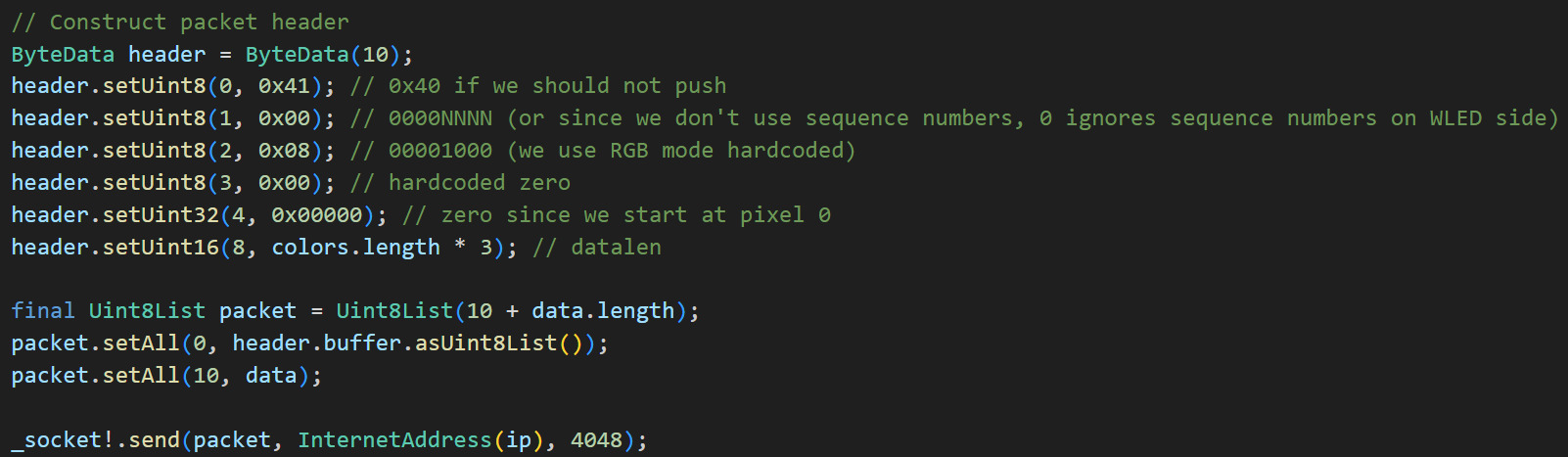
WLED has a low-latency interface for controlling up to 480 LEDs in a single packet called DDP, which is explained at https://kno.wled.ge/interfaces/ddp/, and this protocol works perfectly for controlling the LEDs in realtime applications, like audio-reactive effects such as this one.
I took notes on the protocol, and inspected the WLED source code to send properly formatted UDP packets on the flutter side. With the code below, I am able to send realtime LED data to any WLED device on my network within a few milliseconds.
Native Swift Plugin for Flutter
In the first iteration, I used a Flutter plugin for obtaining microphone data, used another library for applying Fourier transforms, and I was seeing the output on the LED strip in realtime with about 100ms delay.
This approach was great, but I have an appreciation for ultra-low-latency interfaces, having been a gamer for much of my life. The most obvious way forward was to develop a native plugin for my Flutter app to use the bare metal interfaces Apple exposes to its developers. Something like this would have easily taken weeks to do in the past, but with the help of ChatGPT and Cursor, I was able to write and understand clean Swift code within the afternoon.
The plugin I wrote uses Apple's "Capture" API to obtain a microphone stream of data as soon as it becomes available (1024 samples per frame / 48000 samples per second = 21.33ms per frame) and process it through a discrete cosine transform using Apple's "Accelerate" API to offload the processing to hardware acceleration wherever possible. (more on some of this processing below)
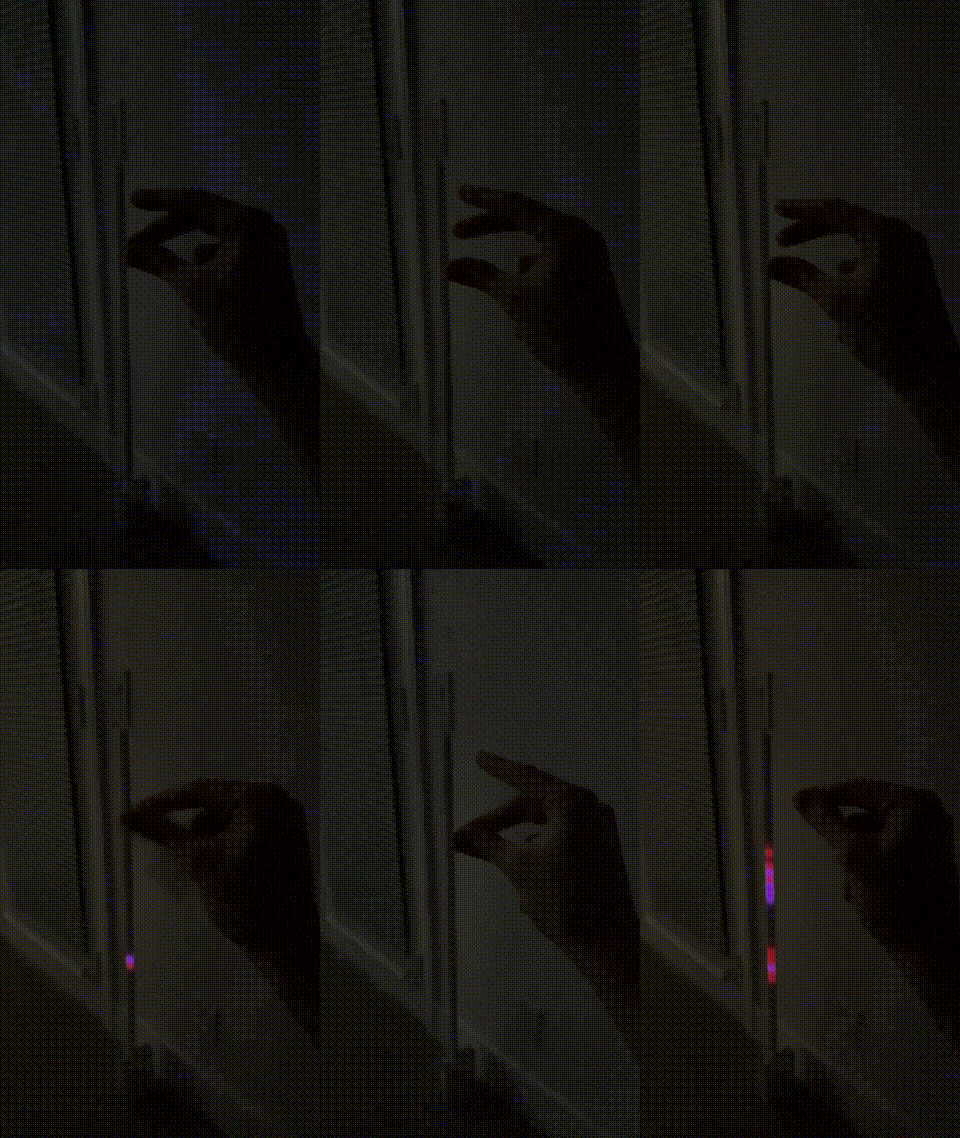
The transformed values are then sent back to flutter using an event channel, where I can analyze or apply whatever functions I want to the frequency data and finally send color data to the LED strip using the DDP protocol from earlier. Check it out in slow-mo, with all the optimizations:
A Quick Word on Fourier Transforms
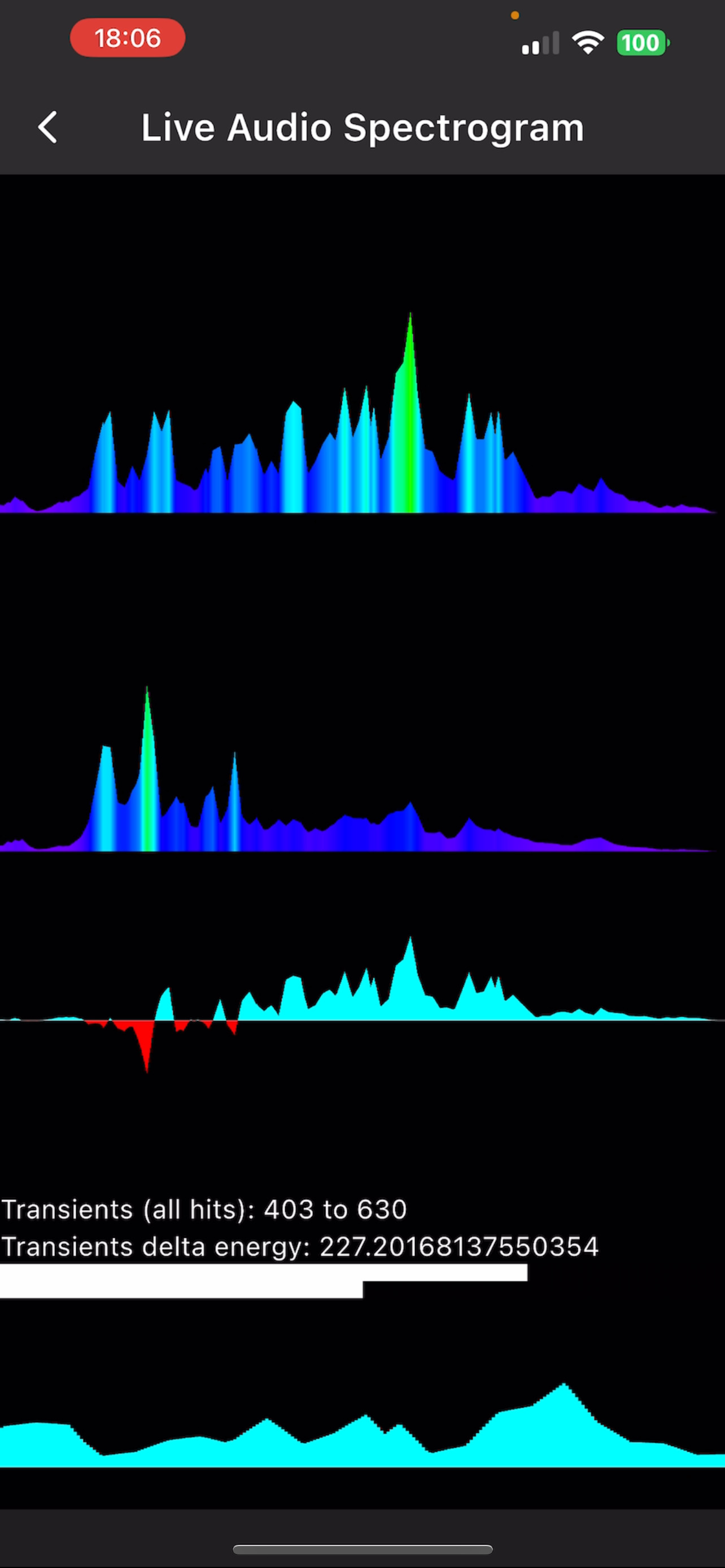
Discrete Fourier Transforms, or Discrete Cosine Transforms as I now use instead, are the functions needed to display the frequency components. (That chart which shows the dancing waveforms with the low frequencies on the left and high frequencies on the right basically shows the output of a fourier transform).
Because of the way these discrete algorithms work, if the signal doesn't perfectly repeat at the edges of the "window" we analyze (1024 samples per frame / 48000 samples per second = a 21.33ms "slice"), you get "spectral leakage", and the actual frequency components are less obvious. This is why we need to use "windows" to taper off the edges of our signal. (This article does a great job of explaining it with visuals: https://developer.apple.com/documentation/accelerate/reducing-spectral-leakage-with-windowing)
However, this windowing caused some unexpected behavior (subtle foreshadowing)
Engineering a Solution to a Problem
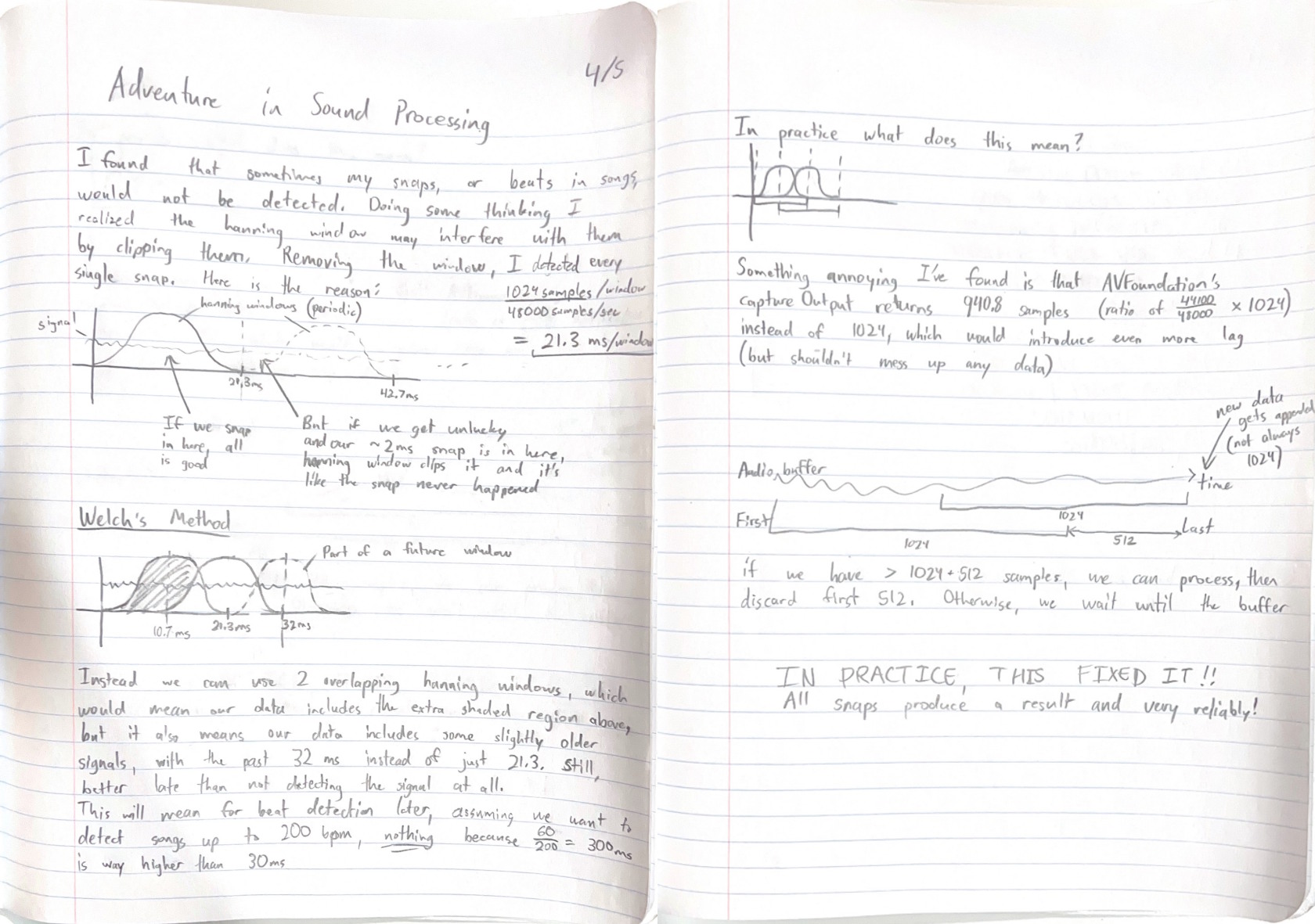
I noted strange behavior where occasionally when I would snap, or in some songs with Hi Hats, my frequency spectrum visualizer would not pick up the signal on occasion. I had a suspicion that it was due to an "unlucky" ~2ms snap fitting perfectly within the valley of a window in between frames, and I confirmed this suspicion when commenting out the windowing code and noticed every snap was being picked up.
Still though, I needed windowing for the more accurate frequency components, so this led me down a researching rabbit hole, and I learned about "Welch's method", where you take two transforms with the windows overlapping by 50% to eliminate the lost data in between frames. I outlined the whole process in my notebook below. It may do a better job explaining visually what I tried to explain here in words.
I'm pleased to report that implementing the fix I sketched in my notebook fixed the problem, and I am now detecting all my snaps!
Although audio processing has already been perfected after all these decades, that entire debugging process was so valuable to me, increasing my confidence and competence as an engineer to come out on top of a problem.
Future Work
This is only the beginning. This signal processing, and coming up with ways to reduce the latency as much as possible, has already been such a fun challenge.
What keeps me going is the thought of releasing my app and having thousands of people use the simple, user-friendly tools I've been working on to discover the same joy from playing around with audio reactive LEDs. Making it satisfying to use my tools- and in the process building my brand, Lumen, to be as elegant as possible.
My whole portfolio will go through a makeover in the future, it still isn't where I want it to be. But I needed something. And hey, for a couple ChatGPT prompts and a few afternoons writing about my projects, I finally have something out there to show the world my projects.
Enjoy this little teaser for work in progress: